Licensing and the EKR marketplace
Keep the installation bound to its legitimate purchase and origin while browsing and updating verified Audoryx extensions.
A valid Regular or Extended license can use the EKR marketplace. Extended-only product capabilities remain enforced separately.
License activation
Activation binds the Codester purchase, normalized public origin, and a stable installation identifier to a server-signed EKR certificate. The buyer enters only the Codester purchase reference; EKR creates the installation token internally. Never include the purchase code, token, or certificate in screenshots, browser logs, or support posts.
- Use the final origin. Configure HTTPS and the canonical application URL before activation.
- Open Licenses. During installation or from Admin → Licenses, start the connection flow.
- Enter the Codester purchase reference. Audoryx submits it server-side and stores only the encrypted internal token and signed certificate.
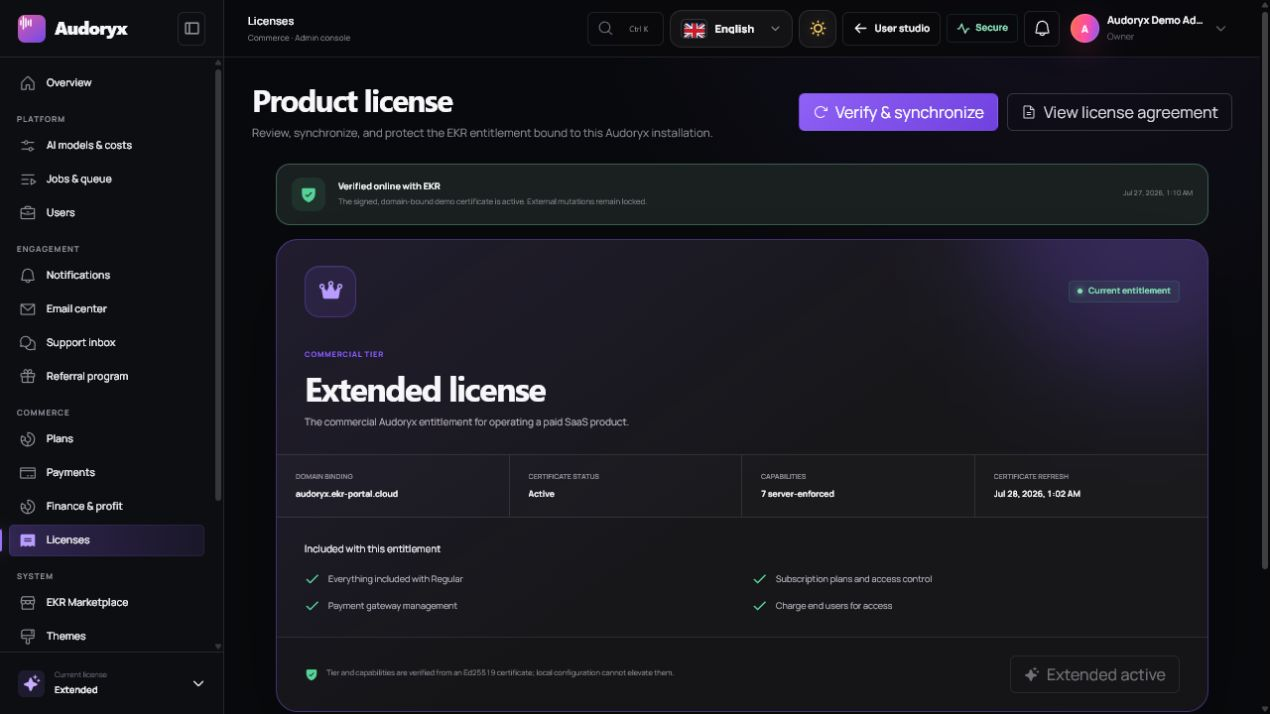
- Verify the result. Confirm product, license type, bound domain, lifetime offline continuity, and last synchronization time.
- Back up securely. Include encrypted settings and the application key in an access-controlled disaster-recovery plan.
Certificate security
- The EKR response is verified using the configured signing key and trusted endpoint.
- The last authentic, domain-bound certificate keeps the installed product working when EKR is unavailable.
- During an EKR outage, updates, Marketplace, and portal premium support may pause; the public site, accounts, API, webhooks, callbacks, and product tools do not.
- Origin changes use the secure purchase-code rebind flow and the stable private installation identity.
- No client-side flag is treated as proof of entitlement.
Synchronize and upgrade
The Licenses page refreshes the current certificate whenever it opens. Use Synchronize license after changing a purchase, origin, or entitlement. Synchronization is safe to repeat; it does not create an additional purchase.
| Current state | Action | Result |
|---|---|---|
| Regular, no Extended purchase | Select Upgrade | Audoryx opens the official Codester purchase path and explains the entitlement change before verification. |
| Regular, eligible Extended purchase found | Select and confirm it | EKR rebinds the eligible purchase to this origin and issues an Extended certificate. |
| Extended | Synchronize | The same tier is refreshed; no artificial upgrade is shown. |
| EKR temporarily unavailable | No emergency action required | The verified offline certificate keeps the product running; retry synchronization later to restore EKR-only services. |
| Certificate damaged or origin changed | Enter the purchase code in Admin → Licenses | EKR safely verifies and rebinds the stable installation when connectivity is available. |
Do not buy a key from a reseller or paste a certificate supplied by another installation. A legitimate upgrade is selected from eligible purchases returned by EKR for the authenticated owner.
Disconnect safely
License connection and disconnection live on Admin → Licenses, not the marketplace page. Disconnect only when moving or decommissioning the installation. Read the confirmation carefully: disconnecting stops Marketplace account synchronization, but it does not invalidate the signed offline product certificate.
Offline continuity and recovery
A temporary EKR outage never closes a buyer's installed end product after successful activation.
- Core service continues. Public pages, users, API, webhooks, provider callbacks, generation, playback, and administration remain available.
- Network extras pause safely. Updates, Marketplace downloads, and portal premium support wait for EKR connectivity.
- The administrator retries later. Admin → Licenses shows offline continuity and can synchronize without interrupting users.
- Recovery is explicit. If the encrypted credential is damaged or the domain changed, enter the Codester purchase reference to verify and rebind safely.
Forged signatures, a mismatched installation identity, or an unrelated origin are still rejected. Offline continuity never elevates the license tier or grants a purchase that was not previously verified.
EKR marketplace
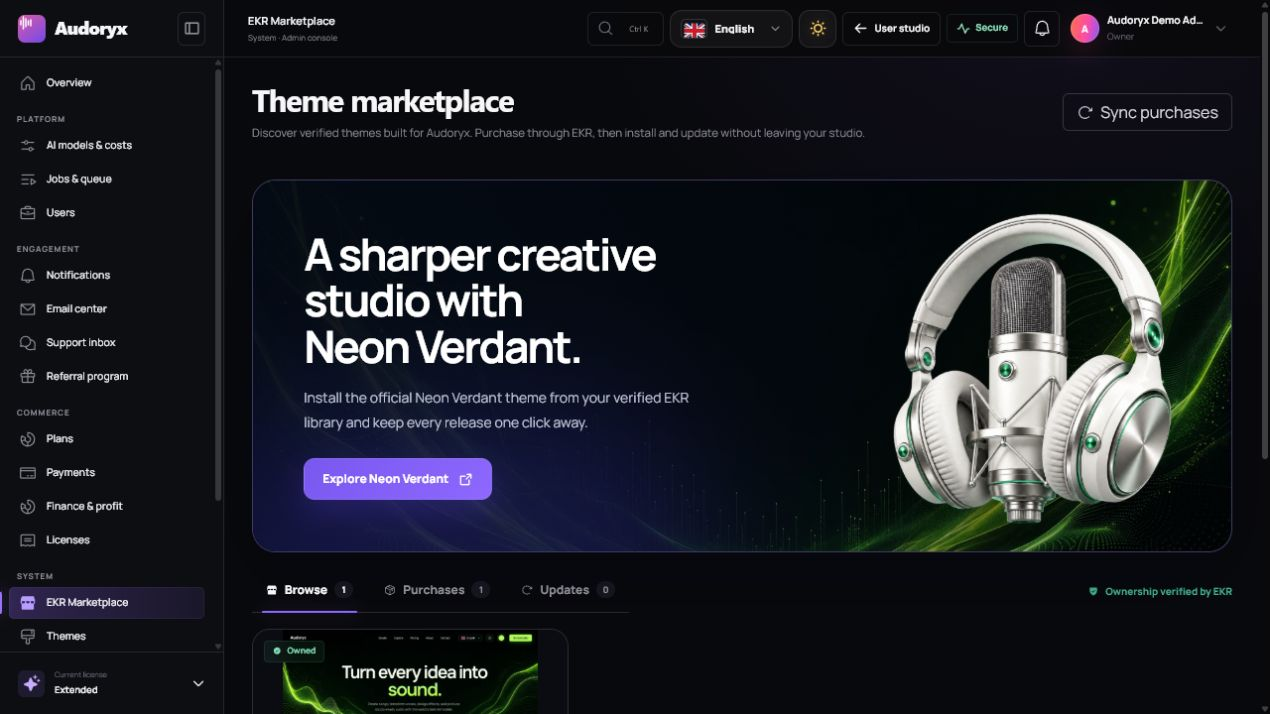
Open Admin → EKR Marketplace to browse verified extensions and themes. The catalog refreshes when the page opens. Connection controls remain on Licenses so the marketplace stays focused on discovery and ownership.
- Browse: compare product descriptions, compatibility, price, preview link, and trust metadata.
- Purchases: synchronize products owned by the connected EKR account.
- Install: download a license-authorized archive and verify package metadata before atomic installation.
- Update: review the release version and changelog before replacing an installed package.
- Preview: open the publisher-provided HTTPS demo in a new tab; a preview is not executable package trust.
Trust boundary
Marketplace display metadata is untrusted input and is rendered as text. Download authorization is checked by EKR for the connected installation and purchase. Audoryx validates each package manifest, declared assets, paths, hashes, compatibility, and size before changing the installed theme.
Move to another domain
- Back up the application, private files, and database.
- Put the original site into maintenance mode and stop accepting mutable work.
- Move the private installation identity and encrypted credential with the protected application files.
- Deploy to the final HTTPS origin and update the canonical URL.
- When EKR is online, open Admin → Licenses, enter the Codester purchase reference, and use the secure rebind flow.
- Synchronize EKR-only services and run system health. The old binding is deactivated when it is no longer used.